 DocStar
What Is OpenAPI? A Plain-English Guide
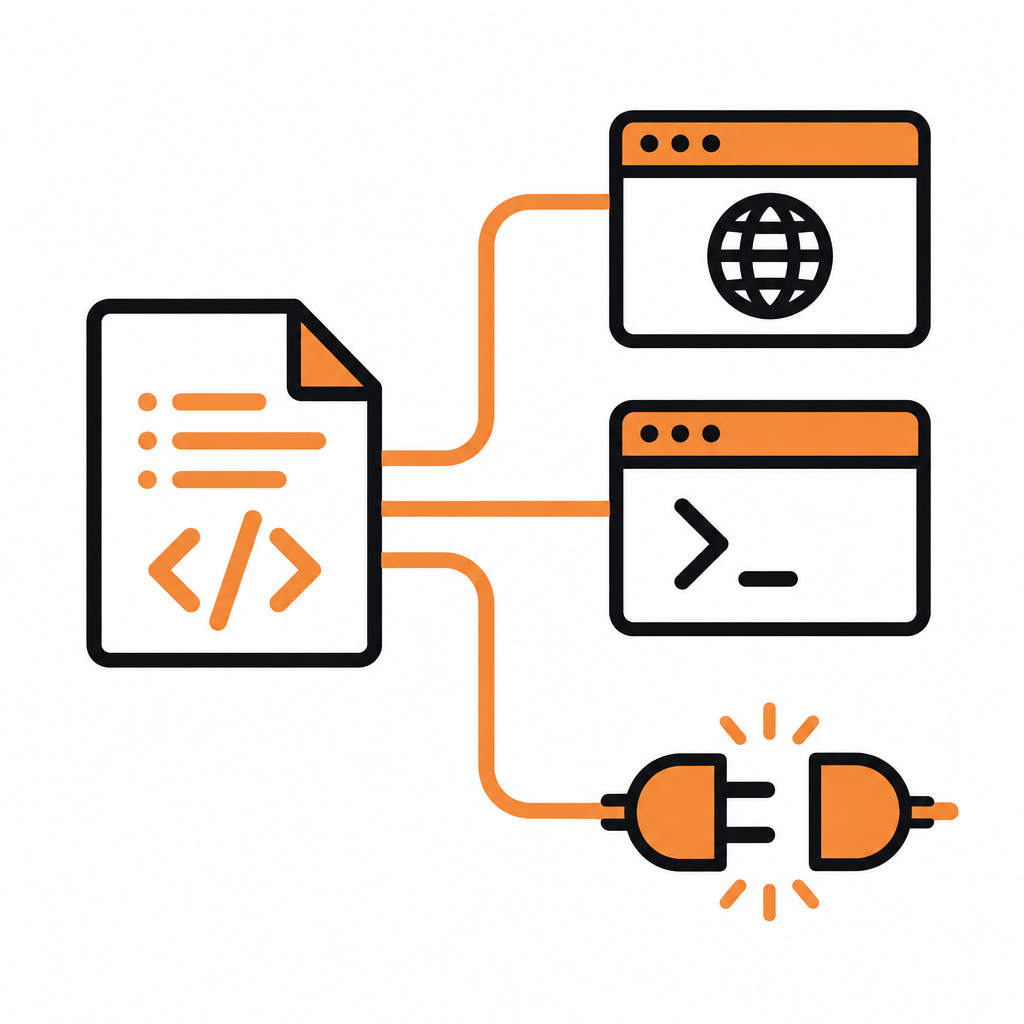
OpenAPI is the standard, machine-readable way to describe a REST API: every endpoint, parameter, request body, response and auth rule, written in one YAML or JSON file that both people and tools can read. With DocStar, that one file becomes your published API reference, a hosted MCP server for AI assistants and a CLI, and your coding agent can write or update it for you straight from your code.
This guide explains OpenAPI in plain English, then shows how the DocStar team recommends working with it in 2026: let your AI agent do the writing, and keep the human job to review and publish.
What is OpenAPI, in plain English?
Think of an OpenAPI file as a contract for your API. Instead of a wiki page that says "send a POST to /orders with a customer id", the file states it in a structured format:
Where the API lives (the server URL)
Which paths and methods exist (
GET /orders,POST /orders)What goes in (path and query parameters, headers, the JSON body and its field types)
What comes back (status codes and response shapes)
How to authenticate (API key, bearer token, OAuth 2.0)
Because the format is standard, any tool that understands OpenAPI can read your file and do something useful with it: render docs, generate code, run tests or, increasingly, give an AI agent the tools to call your API.
The specification is maintained by the OpenAPI Initiative, a Linux Foundation project. As of November 2026 the latest release line is OpenAPI 3.2, which the Initiative announced in September 2025. Most real-world specs you'll meet are OpenAPI 3.0 or 3.1, plus older files in the Swagger 2.0 format.
How OpenAPI works: a quick example
Here is a tiny OpenAPI 3 snippet for one endpoint:
openapi: 3.0.3
info:
  title: Orders API
  version: 1.0.0
servers:
  - url: https://api.example.com/v1
paths:
  /orders:
    post:
      summary: Create an order
      requestBody:
        required: true
        content:
          application/json:
            schema:
              type: object
              required: [customerId, items]
              properties:
                customerId: { type: string }
                items: { type: array, items: { type: string } }
      responses:
        "201":
          description: Order created
That is the whole idea: one structured description that people can read and machines can act on.
OpenAPI vs Swagger vs API docs
These terms get mixed up a lot, so here is the short version:
| Term | What it means |
|---|---|
| OpenAPI | The specification (the format) for describing REST APIs |
| Swagger 2.0 | The older name and version of the same format, before it became OpenAPI 3 |
| OpenAPI file / spec | Your API described in that format, as .yaml or .json |
| API documentation | The human-friendly reference site built from the spec, plus guides and examples |
| MCP server | A way for AI assistants to discover and call your API, which a good spec makes possible |
An OpenAPI file on its own is not documentation your users will love. It needs a home where it becomes a readable, testable reference, and today it also needs to be usable by AI agents. That is where DocStar comes in.
Why OpenAPI matters more in the age of AI agents
AI assistants such as Claude, ChatGPT, Cursor and Codex now call APIs on behalf of users. To do that well, they need exactly what a good OpenAPI file provides: clear endpoint descriptions, typed parameters and full body examples. A vague spec leads to wrong tool calls; a precise one leads to agents that get it right the first time.
That's why, in DocStar, your API documentation does three jobs from one source:
A published API reference for developers, with a TRY button to send live requests and ready-made code snippets in languages such as Shell (cURL), Node, Python, Java, Go and PHP.
A hosted MCP server for the collection, so AI assistants can search your docs, read your API reference and call your API.
The DocStar CLI, which turns published API endpoints into terminal commands (and MCP tools) and reads the docs each time a command runs, so there is nothing to regenerate.
You describe your API once, and DocStar serves humans, agents and the terminal.
How OpenAPI works in DocStar: let your AI agent do it
DocStar is built agent-first. You don't need to hand-write YAML or click through forms. Connect your coding agent to DocStar and ask for what you want in plain language.
Step 1: Connect your agent to the DocStar MCP
Add the DocStar MCP URL, https://mcp.docstar.io/mcp, to Claude Code, Cursor, Codex or another MCP-capable assistant (or add DocStar from your assistant's connector directory). The first time the agent needs your workspace, you sign in to DocStar in your browser. There is no API key to copy, and the agent gets the same permissions your account has. Full steps are in Connect your AI assistant.
Step 2: Give it one prompt
Whether you already have an OpenAPI file or only have code, one prompt is enough. Here is one you can paste as-is:
Use the DocStar MCP to document my API in DocStar. First read https://docstar.io/mcp/quickstart.md and follow it step by step. Read my latest code for the API, not an old OpenAPI file, and document each endpoint with a clear description, every parameter, a full JSON request body example, and success and error responses. Show me your plan before you change anything and save everything as drafts.
Step 3: What the agent does
From that prompt, the agent:
Reads your routes and handlers to find every endpoint, rather than trusting a spec that may be out of date.
Documents each endpoint in a DocStar API collection: method, full URL, headers, parameters, request body and sample responses.
Shows you what it will create or change and waits for your OK. Every change is saved as a draft, so nothing reaches your live docs until it is published.
Sets up your MCP server if you ask: it picks up to 20 of your most important endpoints as tools of their own, writes the skill assistants read before using your API, and adds instructions they follow every time they connect.
[Screenshot: Coding agent showing its plan before creating endpoint docs in DocStar]
Step 4: You review and publish
Your role is the part that needs judgment: which endpoints stay private, how things are named, the tone of descriptions, and anything only a person can enter, such as your OAuth app details for MCP sign-in. When the drafts look right, publish them yourself or tell the agent to publish. Only published content appears in your reference, your MCP server and the CLI.
If you'd like the full walkthrough of the MCP side, see OpenAPI to MCP Server: Let Your AI Agent Set It Up with DocStar.
Keep your OpenAPI docs current
A spec is only useful while it matches the code. DocStar gives you two agent-friendly ways to keep it that way.
Option 1: GitHub Sync with OpenAPI files. Keep your OpenAPI files in an api-docs/ folder in your repository. DocStar's GitHub Action syncs every push that changes them, creating, updating or archiving the matching endpoints in your collection. Add DocStar's docstar.md format guide to the repo and a line to your AGENTS.md, and your coding agent updates api-docs/ in the same change whenever an endpoint is added, changed, renamed or removed. Set x-docstar-published: true on each operation so your endpoints are published. Setup is in GitHub Sync.
Option 2: Ask the agent after each change. If you don't use GitHub Sync, add a short note to your AGENTS.md or CLAUDE.md telling the agent to update the endpoint in DocStar through the DocStar MCP whenever an API changes, saving as a draft. A ready-to-use prompt for that moment:
I just changed the orders endpoints in this branch. Use the DocStar MCP to update their docs in our API collection to match the code, and show me the changes before you save. Keep them as drafts.
Either way, you review the diff and publish. The docs, the MCP tools and the CLI commands all follow.
Prefer to do it yourself?
You can also bring an existing spec in by hand. In DocStar, use Import collection and drop in an OpenAPI 3.x or Swagger 2.0 file (JSON or YAML) or a Postman collection; each import creates a new API collection, and Swagger 2.0 files are converted to OpenAPI automatically. Check base URLs and auth settings before you publish. Going the other way, Export Collection can produce an OpenAPI file, though an OpenAPI export drops versions and endpoint descriptions. Details are in Import Content.
Why teams choose DocStar for OpenAPI-based docs
One source, three outputs. The same published endpoints power your API reference, your hosted MCP server and the DocStar CLI.
Agent-first by design. Your coding agent reads the code, writes the docs, asks before changing anything and saves drafts. You review and publish.
Docs-as-code when you want it. GitHub Sync turns your
api-docs/OpenAPI files into published endpoints on every push.Interactive for developers. Readers can send live requests with TRY and copy code snippets.
Everything in one workspace. API docs sit next to your help docs, FAQs, changelog and blog, on your own domain and brand.
FAQ
Do I need an OpenAPI file to use DocStar?
No. If you have one, DocStar can import it. If you don't, your AI agent can read your code and document each endpoint directly in DocStar through the DocStar MCP. Many teams prefer this, because the agent works from the latest code rather than an old spec.
Which OpenAPI versions does DocStar import?
DocStar imports OpenAPI 3.x and Swagger 2.0 files in JSON or YAML, as well as Postman collections and DocStar exports. Swagger 2.0 files are converted to OpenAPI automatically.
Is OpenAPI the same as an MCP server?
No. OpenAPI describes your API; an MCP server lets AI assistants discover and call it. In DocStar, every API collection can run its own MCP server built from your documented endpoints, so a well-described API gets you both.
Will the agent publish changes without asking?
No. The agent shows you what it will create, change or publish and waits for your OK, and every edit is saved as a draft first. Nothing reaches your live docs until it is published.
Can I generate a CLI from my OpenAPI spec?
Yes. Once your endpoints are published in DocStar, the DocStar CLI turns them into commands with nothing to generate or keep in sync. See How to Generate a CLI from Your OpenAPI Spec.
Get started free
OpenAPI tells the world what your API does. DocStar turns it into docs developers enjoy, an MCP server AI assistants can use and a CLI, with your coding agent doing the writing. Get started free and give your agent its first prompt today.
Keep reading
MCP vs Function Calling vs Plugins: What's the Difference (and Where DocStar Fits)
MCP vs function calling vs plugins explained: how each lets AI use your tools, and how DocStar turns your API docs into one MCP server for every assistant.
How to Migrate Your Docs to DocStar with Your AI Agent
Migrate your API specs and Markdown guides to DocStar with Claude Code, Cursor or Codex: one prompt, drafts to review, redirects for old links.