
CNAME Pointing
White Label Documentation Using CNAME
White labeling allows you to host your documentation on your own custom domain instead of the default Docstar URL.
Example:
https://docstar.io/{folder_slug}/{article_slug}
Custom URL:
https://help.yourdomain.com
What is CNAME Pointing?
CNAME pointing allows you to connect a subdomain to your Docstar documentation.
Example:
help.yourdomain.com(Here,helpis the subdomain)
Step 1: Add Your Domain in Docstar
Go to:
Settings → Domain
Add your full custom domain.
Example:
help.yourdomain.com

Step 2: Open Cloudflare DNS Records
Inside Cloudflare:
DNS → Records → Add Record
Create a new DNS record.
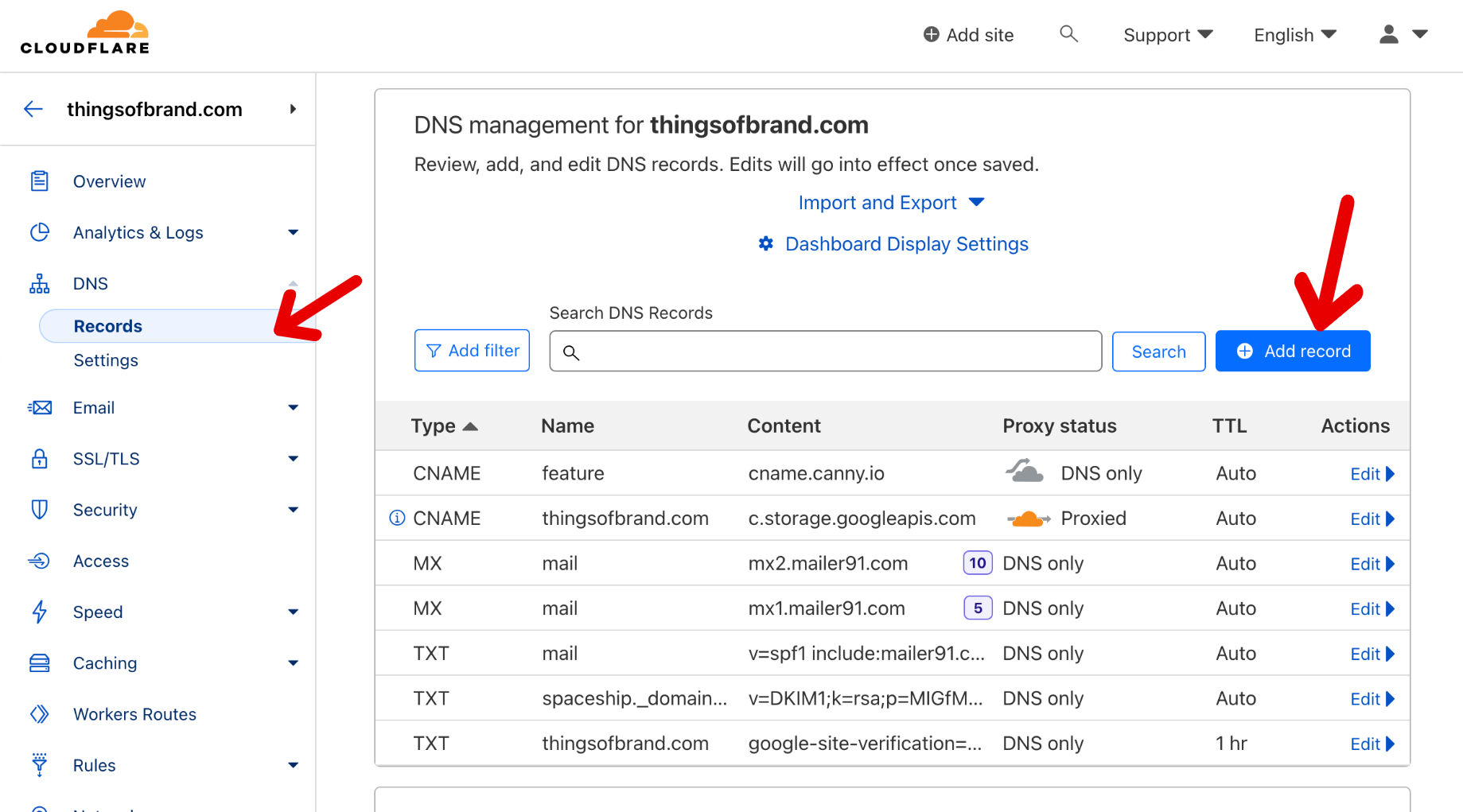
Step 3: Create a CNAME Record
Fill the DNS record details:
Field | Value |
|---|---|
Type | CNAME |
Name |
|
Target |
|

Example Configuration
Type | Name | Target |
|---|---|---|
CNAME | help.yourdomain.com | cname.docstar.io |
Final Result
After setup:
Your documentation will open from your branded subdomain.
Users will not see the default Docstar URL.
Your documentation will work directly from your custom domain.